For car washers
Software for car washers who work at the customer’s site
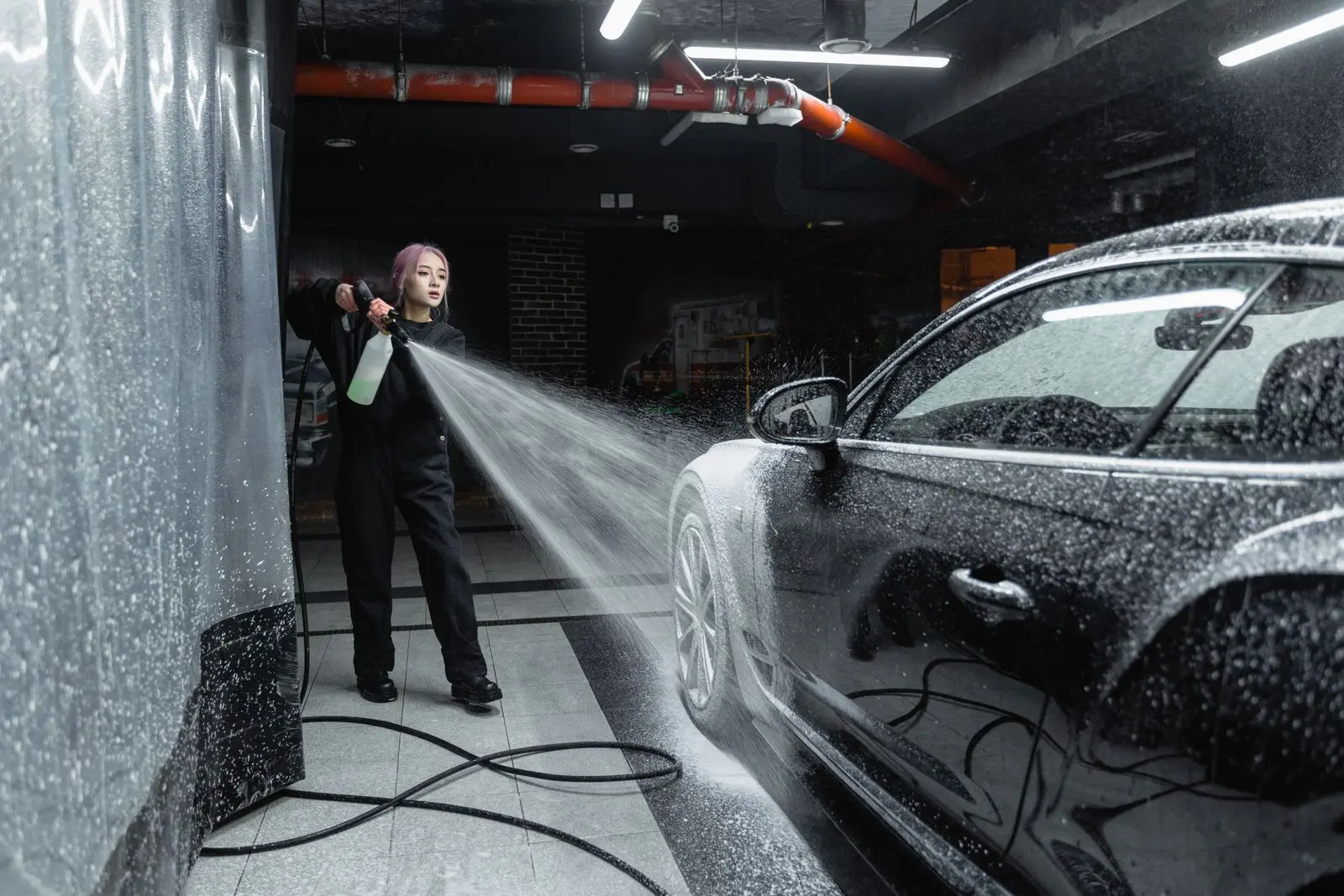
Software for car washers who go to their customers: mobile washes, detailing and regular washes for company vehicles. You charge fixed prices per service, schedule your employees, record the condition of the vehicle with photos and invoice. Klantura works on phone, tablet and computer.
Try it free until 1 March 2027 with Essential, from €25 per month

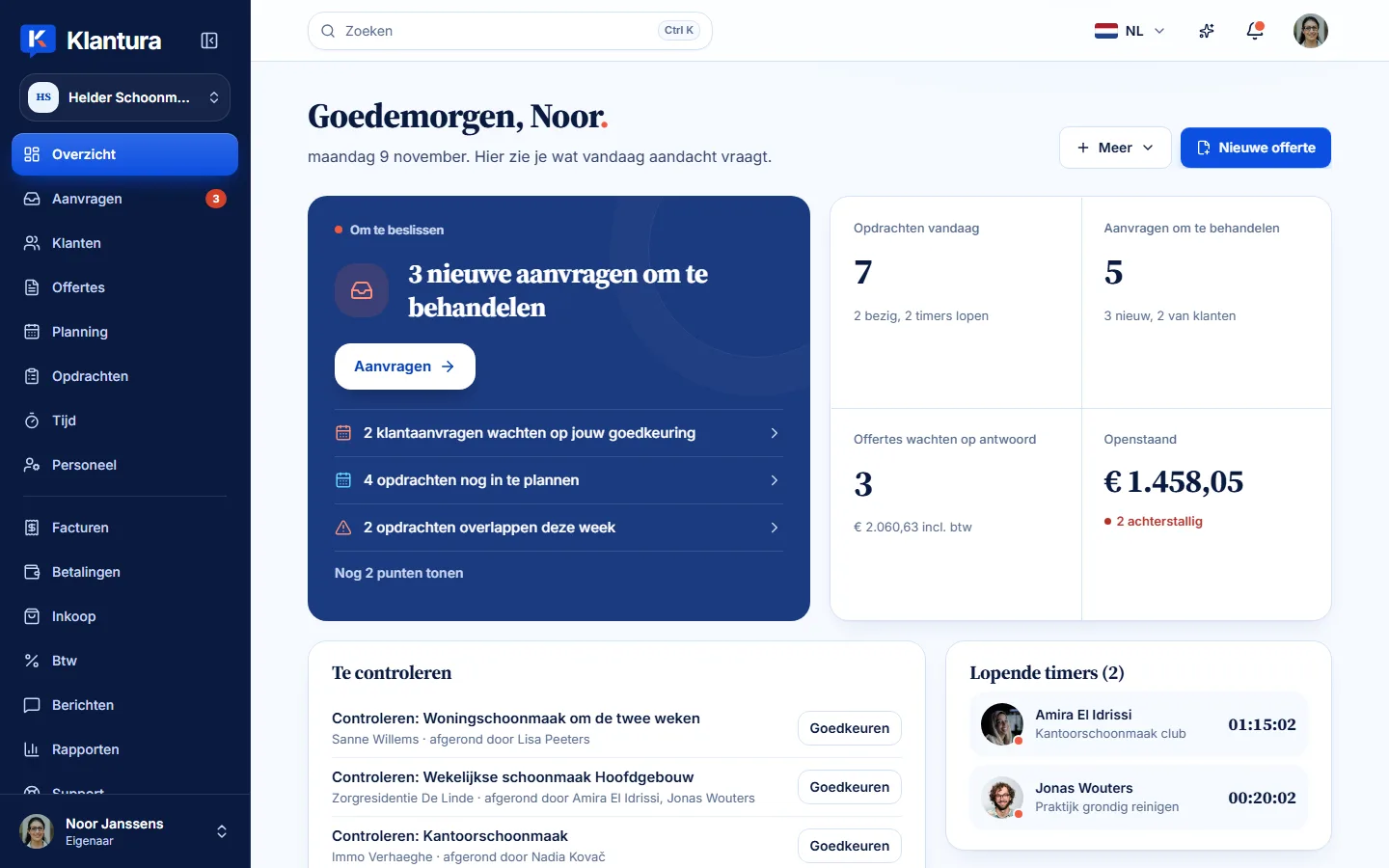
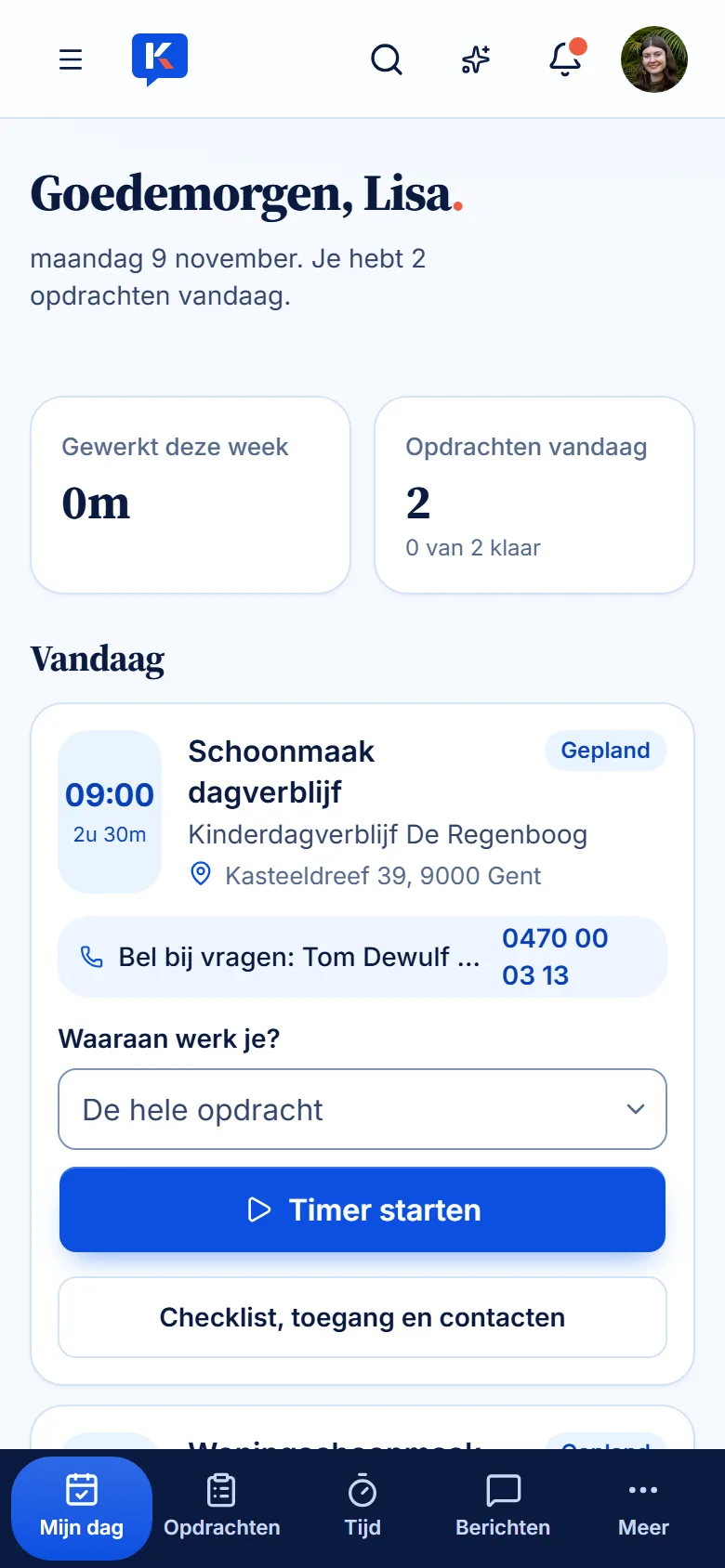
What a car washer handles every week
Six things that keep coming back with lots of small jobs, and how Klantura picks them up.
Fixed prices per service
Wash, interior, polishing: each service is in your price list with a fixed price. You pick it on a quote or invoice without retyping.
Private customers and businesses
A customer is a private person or a business, with one or more addresses: home, a company site or a car park. Each wash belongs to one site.
Regular washes for fleets
A business with company vehicles has them washed every week or every two weeks. You set that round up once and the visits for the next eight weeks are in your schedule.
Your crews on the road
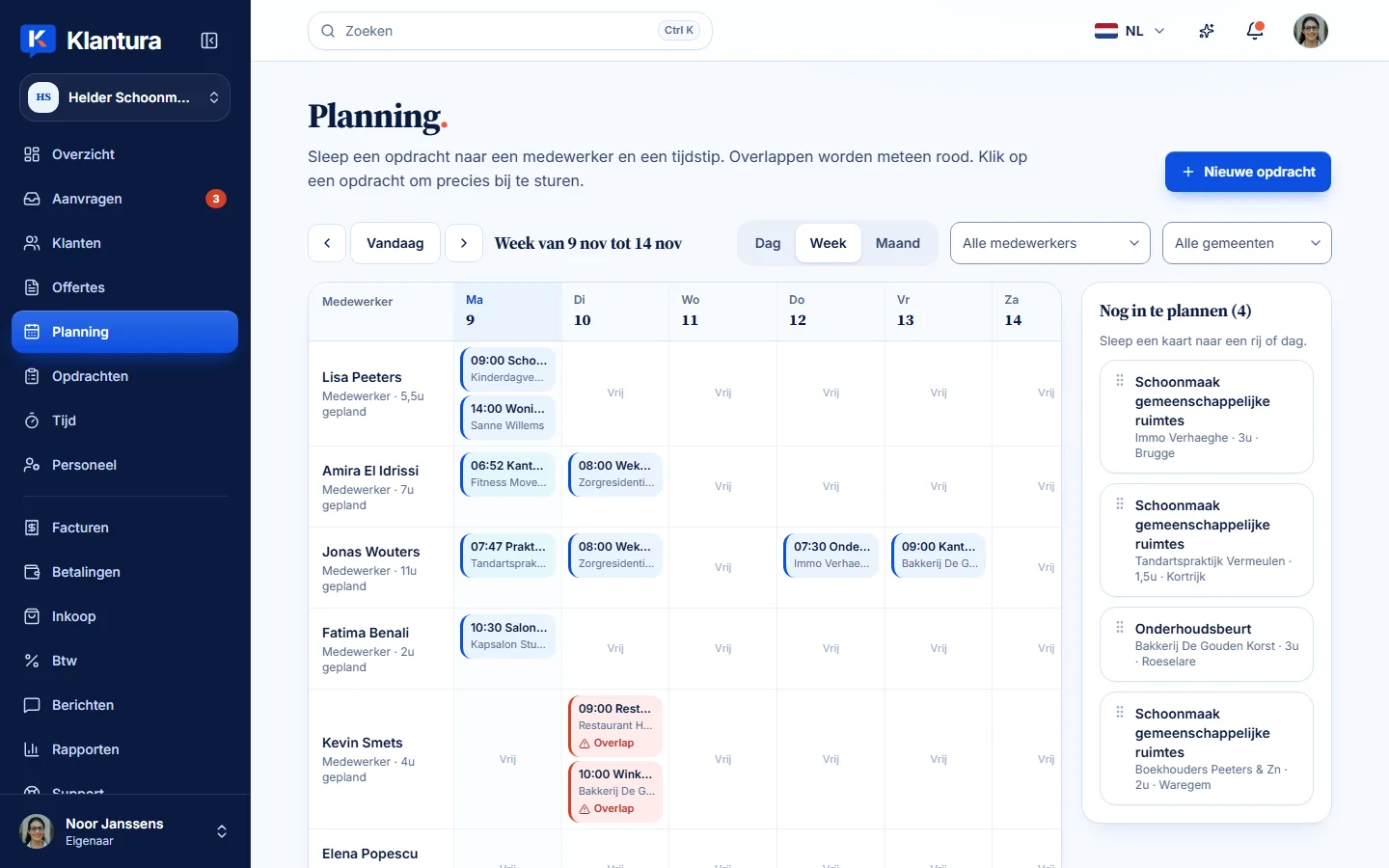
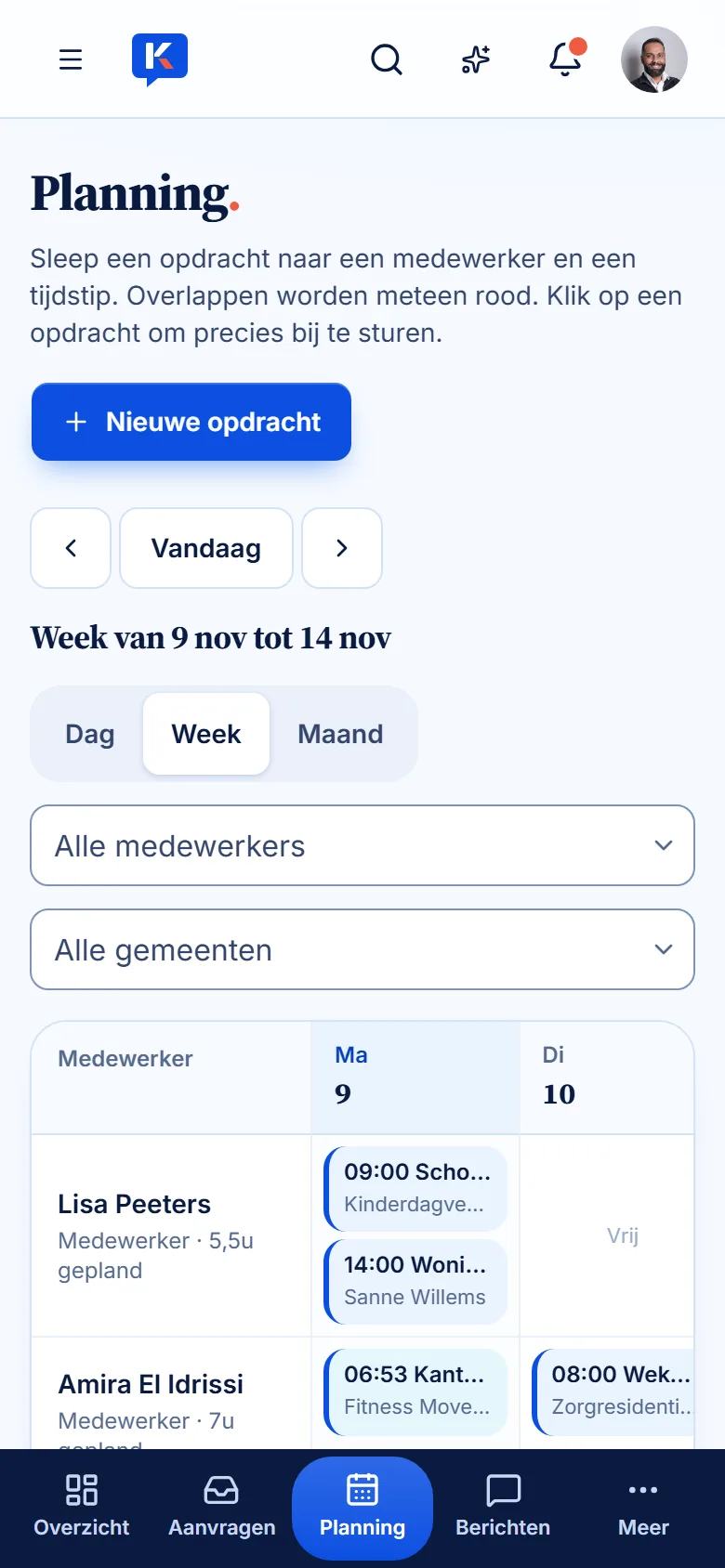
Schedule per day, week or month and filter by employee or town. You see overlap and too little travel time between two addresses straight away.
Photos as proof
Photos before, after or damage with your phone’s camera, up to 20 per job: the proof of the vehicle’s condition on arrival.
Products in stock
Shampoo, wax and microfibre cloths as items with a minimum and an order list. You book the use on the job.
A Friday with a business as a regular customer
This is what a working day can look like for a mobile car washer who works for private customers and a few businesses.
- Morning
Your employee opens the day on his phone. The first address is a business with company vehicles on the site, then comes a private customer at home.
- At the business
The gate code is with the site and stays hidden until he asks for it. If the vehicles are not there, he calls the contact person with one tap.
- Before washing
He takes photos of a scratch on a door and marks them as damage. That way the condition of the vehicle is on record.
- During the work
The timer runs, with a pause. Afterwards he writes in the note that the wheel rims were extra dirty.
- At the office
You book out the products used on the job, check the work and approve it.
- End of the month
The business gets one draft invoice for all checked washes. You issue it and follow up on whether it has been paid.
A working day for a mobile business
Four working days in the real app, on computer and on phone. The films show the interface in Dutch.
Fixed prices per service, from request to invoice
A car washer sells fixed services: an exterior wash, an interior clean, polishing. You put them in your price list with a price. A request becomes a customer and a quote with one click, and after approval it becomes a job or an invoice.
- Services with a fixed price, per hour or per visit, in your price list
- The customer approves a quote digitally on a page with no login, with name and time
- An invoice from a checked job, with a payment reference and QR code
- For a regular fleet there are recurring invoices
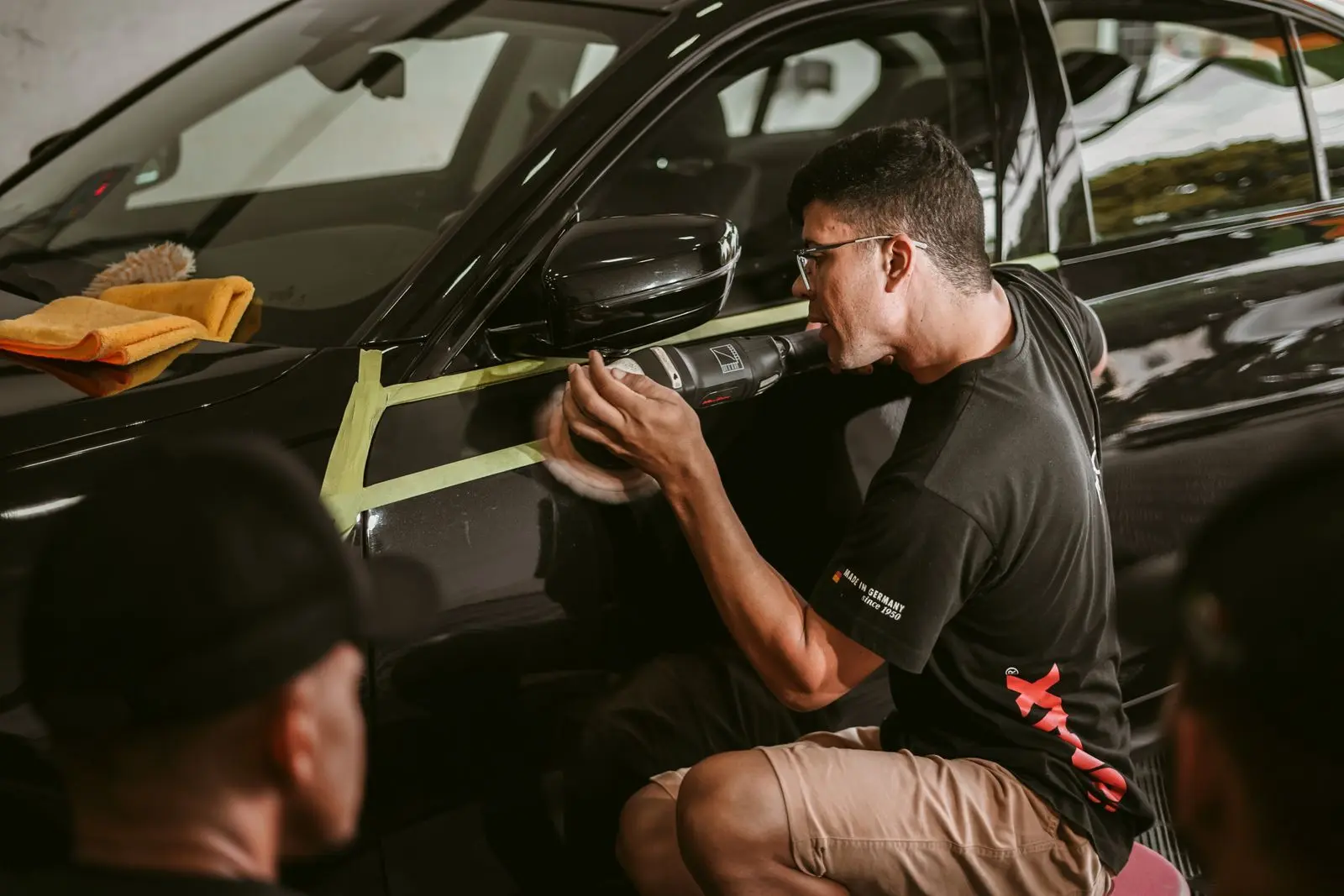
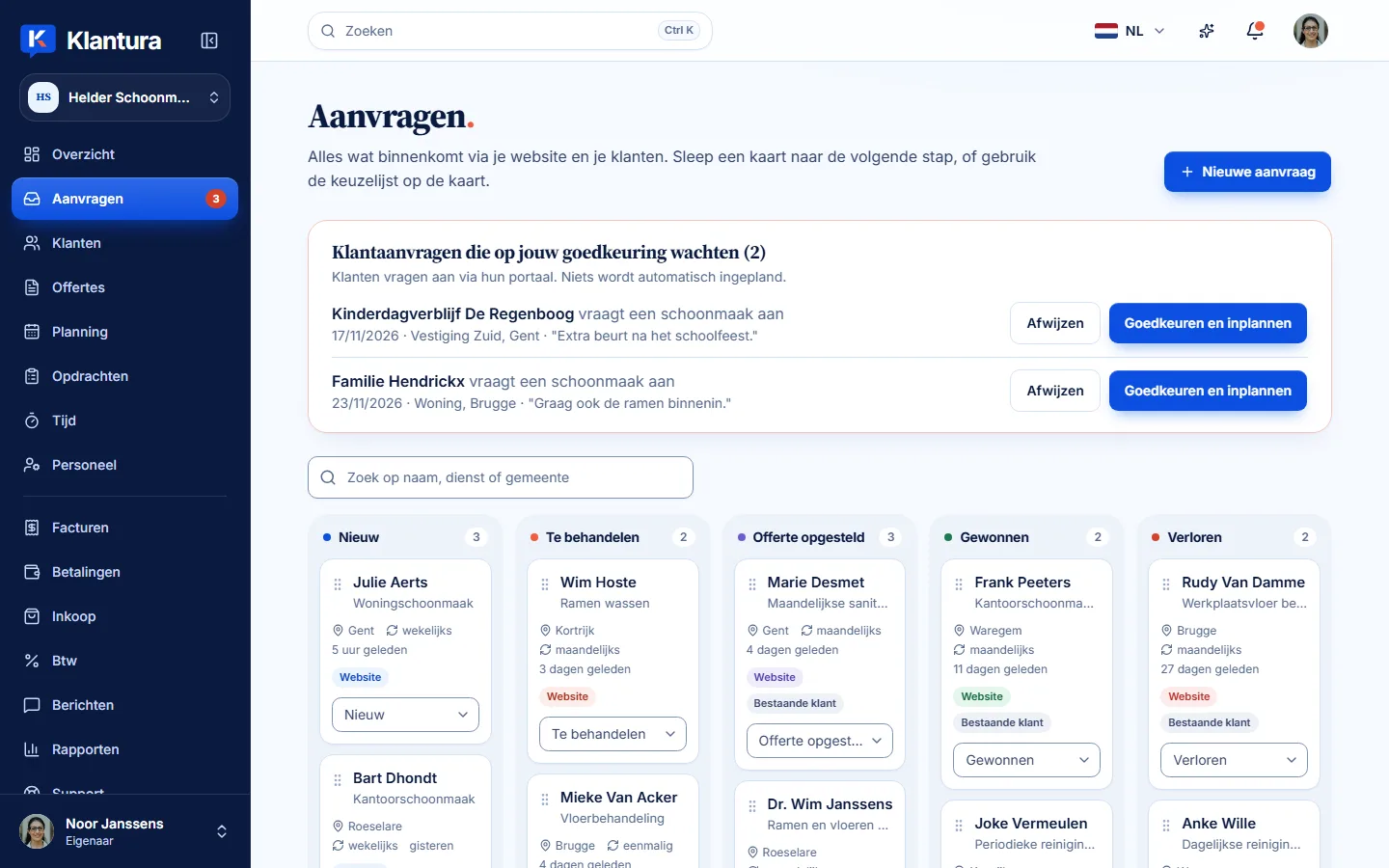
The schedule of your crews on the road
Lots of small jobs at different addresses call for a schedule that counts travel time. You drag a job to an employee and a time. For a business that has its fleet washed every week, you set it up once.
- Day, week and month views with filters per employee and town
- You see overlap, too little travel time between two addresses and fixed days off straight away
- A recurring job creates the visits for the next eight weeks, every week or every two weeks
- Your employee sees on the phone where he is going today
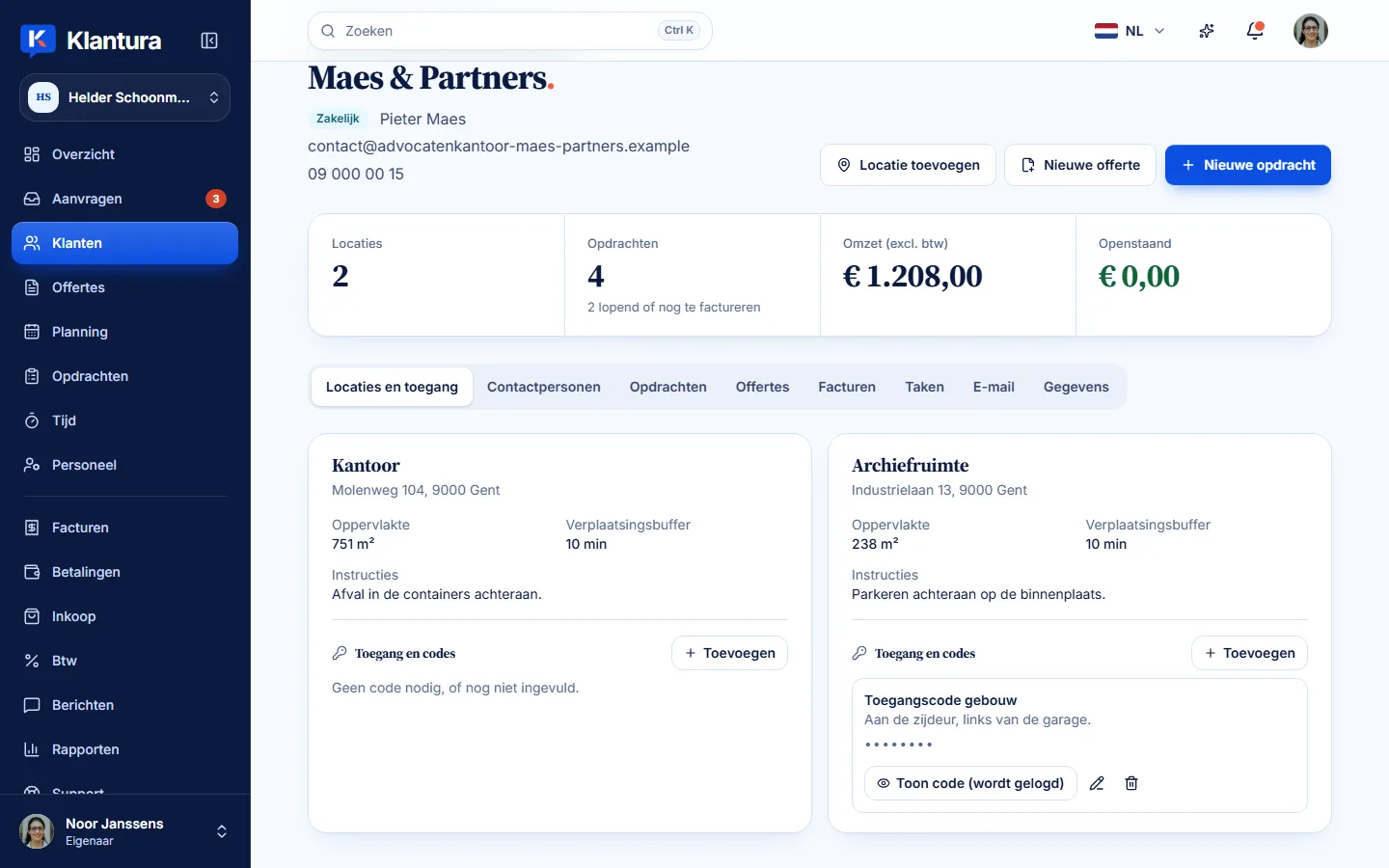
At the customer’s: address, access and contact person
A wash at a business starts at the gate of the site or the car park. That is why access belongs with the site. You note instructions, contact person and code once, and your employee sees them with the job of the day.
- Contact person per site and per job, with one tap to call
- Gate code, key box or alarm: hidden, visible for 30 seconds and logged
- Instructions per address for your team, for example “vehicles are on the first floor”
Photos, hours and products per job
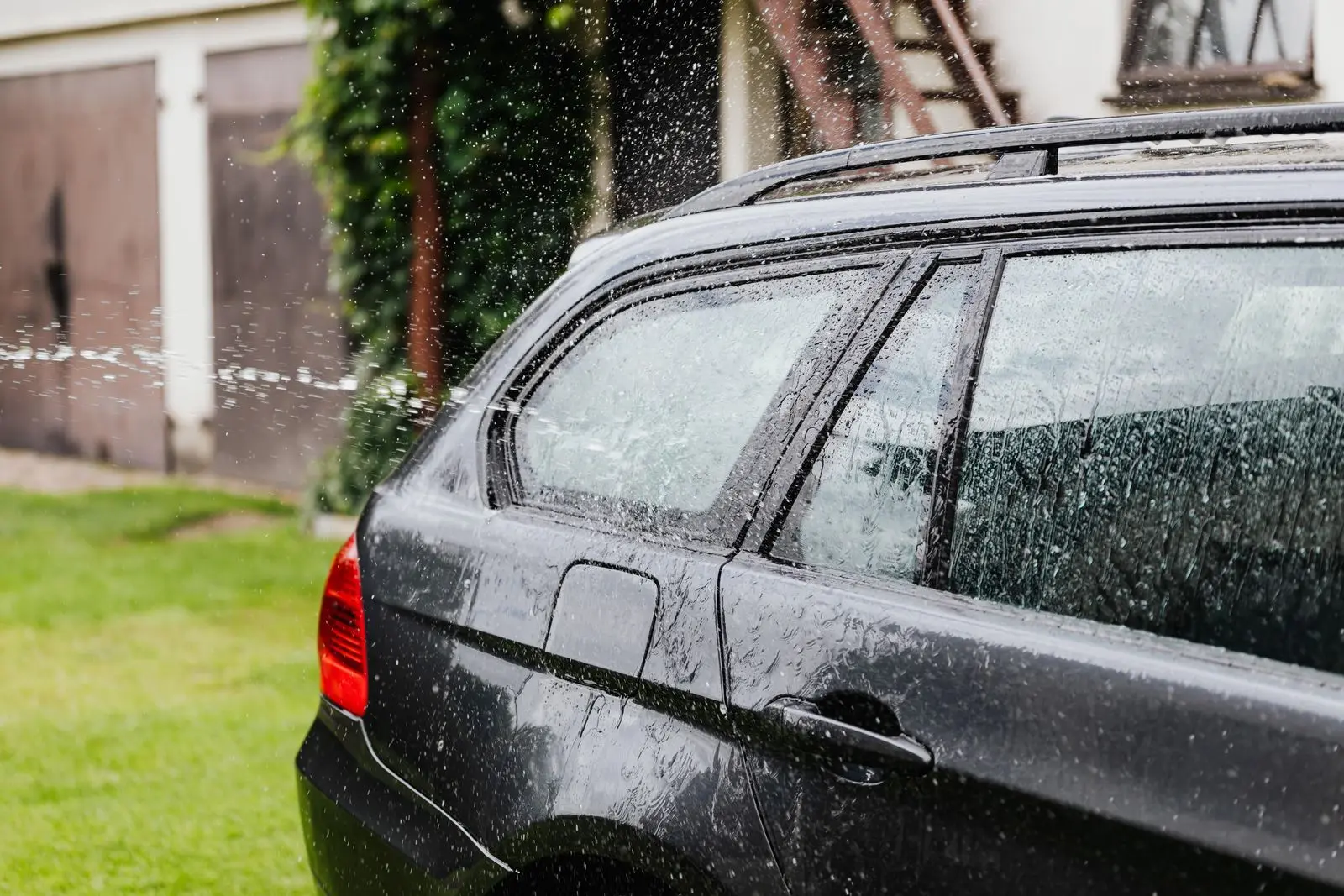
A scratch that was already there should not be on your account. That is why your employee records the condition of the vehicle with photos before, after or of damage. The timer gives you the hours per job, and stock tracks the products you use.
- Photos with the camera or from the gallery, up to 20 per job, marked before, after or damage
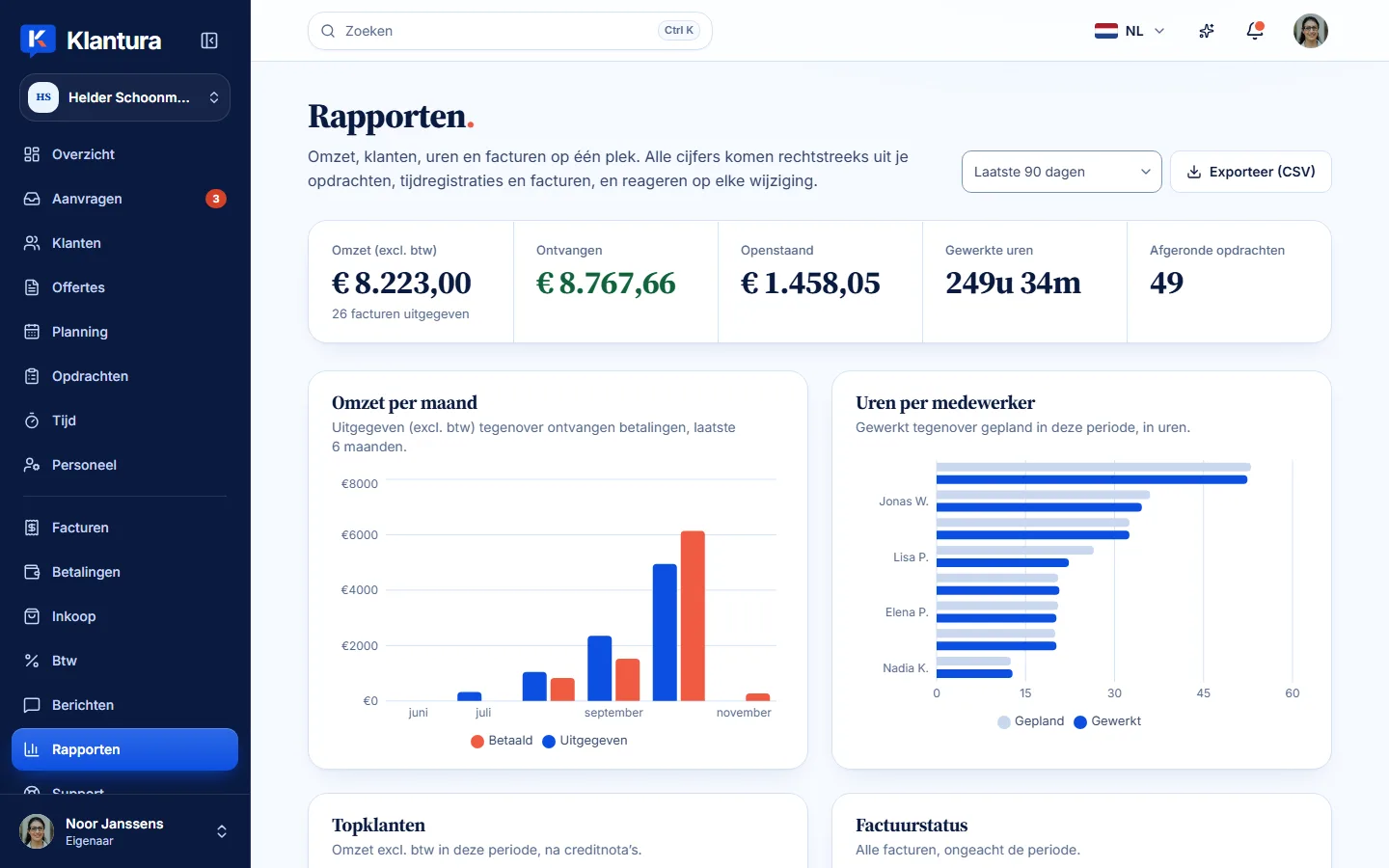
- A timer with a pause per person, and hours per employee in the reports
- Items with a minimum and an order list; you book the use on the job

Is this right for your company?
Which companies is this right for?
Klantura suits mobile car washers, detailers and small car valeting businesses with 2 to 25 employees who go to their customers, with a mix of private customers and businesses. Klantura is not made for a car wash tunnel or a car wash with a fixed location, till and card payment.
- Good fit: a mobile team that works at customers’ homes, on company sites and in car parks
- Good fit: a business with regular washes for the company vehicles of a few customers
- Not made for: a car wash tunnel with a till, subscription passes and payment on the spot
Switch easily from your Excel lists
Is your customer list in an Excel file today? Import your customers with their address, and also your staff and your stock, instead of retyping everything.
- Customers, requests, quotes, scheduling, hours, invoices, payments, staff, stock and purchase invoices
- From CSV, Excel (.xlsx), Word (.docx) and PDF with text
- You see a preview first and match the columns: nothing changes before you confirm
- The file stays in your browser and duplicate rows are skipped
Save an old .xls or .doc file as .xlsx or .docx first. Klantura cannot read a scanned PDF that is only a picture of text.
Honestly: what is not there yet
We would rather say so up front. This does not work in Klantura yet and may matter to you.
Everything that is not there yet- Vehicles and licence plates per customer. Klantura keeps customers and sites, not a list of cars. You write the make or the licence plate in the note or in the instructions of the job.
- A booking page with free time slots. A customer with their own login requests a visit in the portal, but does not pick a time slot. You decide and schedule.
- Paying on the spot with a card or a payment link. An invoice gets a payment reference and you record the payment afterwards.
- A checklist of your own per service. Every job gets the same list of five tasks, made for cleaning, and you cannot change it yet. You can add a note and report a deviation.
- Route optimisation. Klantura warns about overlap and too little travel time, but does not look for the shortest route itself.
All packages, from €25 per month, Essential free until 1 March 2027
You pay per company per month, excluding VAT. Every feature is in every package; the packages differ in the number of users and jobs. Paying yearly gives a discount.
- Free until 1 March 2027
Essential
For self-employed people and small teams who want to get the basics in order.
Try free until 1 March€25 per month, excl. VAT€21.25 per month, excl. VAT, paid yearly€255 per year: you save €45- AI assistant, photos on jobs (10 GB) and chat
- 5 users included, extra user €7 per month (€5.95 when paying yearly)
- Your accountant looks along for free and does not count as a user
- Up to 200 jobs per month
- Customers, quotes and invoices
- Reminders for quotes and invoices
- Scheduling and time tracking with a timer
- Reports on revenue, customers, hours and invoices
- E-invoicing: a Peppol sample file per invoice, sending via Peppol follows
- Website synchronisation: requests from your website arrive in Klantura by themselves
- MCP connection for AI assistants such as Claude and ChatGPT
- Two-step verification
- Most popular
Professional
For growing companies with recurring jobs.
Sign up€39 per month, excl. VAT€33.15 per month, excl. VAT, paid yearly€397.80 per year: you save €70.20- AI assistant, photos on jobs (20 GB) and chat
- 7 users included, extra user €7 per month (€5.95 when paying yearly)
- Your accountant looks along for free and does not count as a user
- Up to 500 jobs per month
- Customers, quotes and invoices
- Reminders for quotes and invoices
- Scheduling and time tracking with a timer
- Reports on revenue, customers, hours and invoices
- E-invoicing: a Peppol sample file per invoice, sending via Peppol follows
- Website synchronisation: requests from your website arrive in Klantura by themselves
- MCP connection for AI assistants such as Claude and ChatGPT
- Two-step verification
Business
For larger teams that need insight and control.
Sign up€79 per month, excl. VAT€67.15 per month, excl. VAT, paid yearly€805.80 per year: you save €142.20- AI assistant, photos on jobs (60 GB) and chat
- 25 users included, extra user €7 per month (€5.95 when paying yearly)
- Your accountant looks along for free and does not count as a user
- Up to 2000 jobs per month
- Customers, quotes and invoices
- Reminders for quotes and invoices
- Scheduling and time tracking with a timer
- Reports on revenue, customers, hours and invoices
- E-invoicing: a Peppol sample file per invoice, sending via Peppol follows
- Website synchronisation: requests from your website arrive in Klantura by themselves
- MCP connection for AI assistants such as Claude and ChatGPT
- Two-step verification
Frequently asked questions
Is your question not here? Take a look in the help centre or send a message.
Can I schedule regular washes for a fleet?
Yes, for a business that has vehicles washed every week or every two weeks. You set up one job with a repeat, and Klantura creates the visits for the next eight weeks. You can then reschedule each visit separately. After eight weeks you set up a new series.
Can I set fixed prices per service?
Yes. In your price list you put services with a fixed price, a price per hour or per visit, for example an exterior wash or an interior clean. You pick them on a quote or an invoice without retyping. Versions of a quote are kept and the customer approves digitally.
Can I keep track of licence plates or cars per customer?
No. Klantura keeps customers, sites and contact persons, but no list of vehicles or licence plates. You write the make or licence plate of a vehicle in the note or in the instructions of the job, where your employee sees it on his phone.
Can customers book an appointment themselves?
Partly. A customer with their own login requests an extra visit, a reschedule or a quote in the customer portal. There is no booking page with free time slots, so a customer does not pick a time. You or your planner decide, and nothing is scheduled automatically.
Can I prove damage with photos?
Yes. Your employee takes photos with his phone’s camera and chooses before, after or damage per photo, up to 20 per job. By default your customer sees no photo at all. You switch on “Visible to the client” per photo, and a customer with their own login sees those photos in the portal.
Can I bring my customers over from Excel?
Yes. You import customers, requests, quotes, schedule, hours, invoices, payments, staff, stock and purchase invoices from CSV, Excel, Word or PDF. You see a preview first and match the columns. Nothing changes until you confirm, and the file stays in your browser.
What does software for car washers cost?
You pay per company per month, from €25 excluding VAT, and you try Essential free until 1 March 2027. Every visit or call-out is one job: Essential includes 200 jobs per month, Professional 500 and Business 2000. Every feature is in every package. Paying yearly gives 15% off.
Read on
Do you work in a different sector?
Klantura is for service companies that work at their customers’ sites. See how it fits another trade.
- Cleaning companies Offices, homes and communal areas: quotes, crews, access and invoices in one workspace.
- Specialisation within cleaningHoliday home cleaning Changeovers between check-out and check-in: short jobs, access per property and photos as proof.
- Window cleaners Regular rounds and many addresses: visits eight weeks ahead, access per address, photos and subscriptions.
- Maintenance and caretaker companies Periodic maintenance, small repairs and caretaker services at several sites, with access, photos and parts.
- Garden and grounds maintenance Recurring garden and grounds maintenance and landscaping: visits per crew, quotes per m² and down payment invoices.
Your sector is not listed? Let us know.
See how Klantura keeps your washes organised
Try Klantura for your company. You sign up for free and start with an empty company; you bring your customers and planning along from your Excel lists. The Essential plan is free until 1 March 2027; you can sign up until that day.